

This tutorial explains how to install Oracle Database 19c with the latest Release Update (RU) patch on Oracle Linux 9.4 using the ApplyRU method. The guide covers OS prerequisites, required packages, Oracle user creation, kernel parameters, OPatch update, and post-installation verification. This installation method is fully suitable for production and enterprise environments.
Steps to Install Oracle 19c Binary with Latest RU Patch:
- Environment Details
- Update Oracle Linux 9.4
- Set Hostname
- Install Oracle 19c Preinstall Package
- Create Oracle Directories
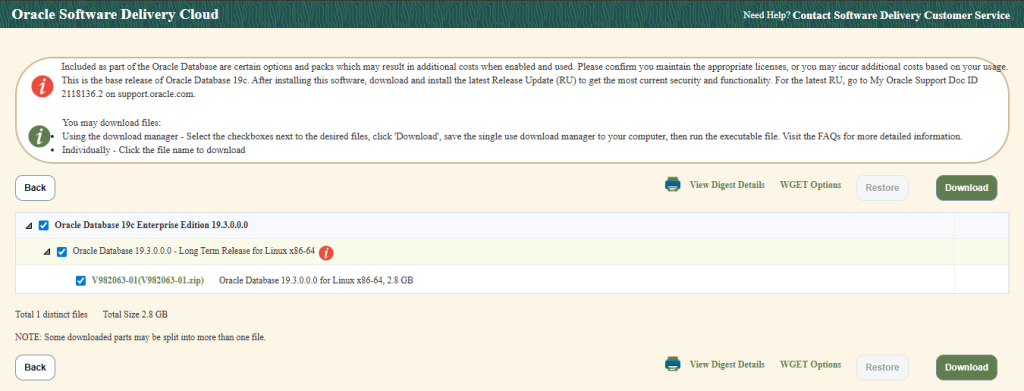
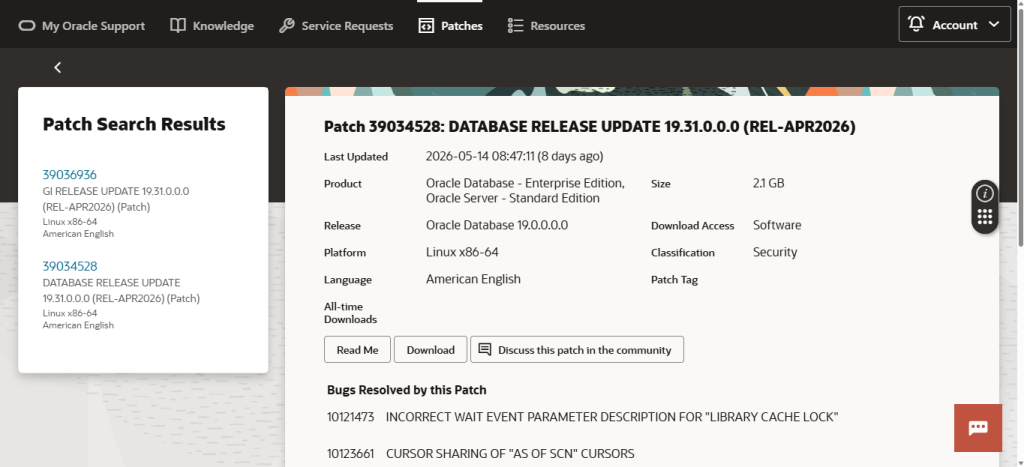
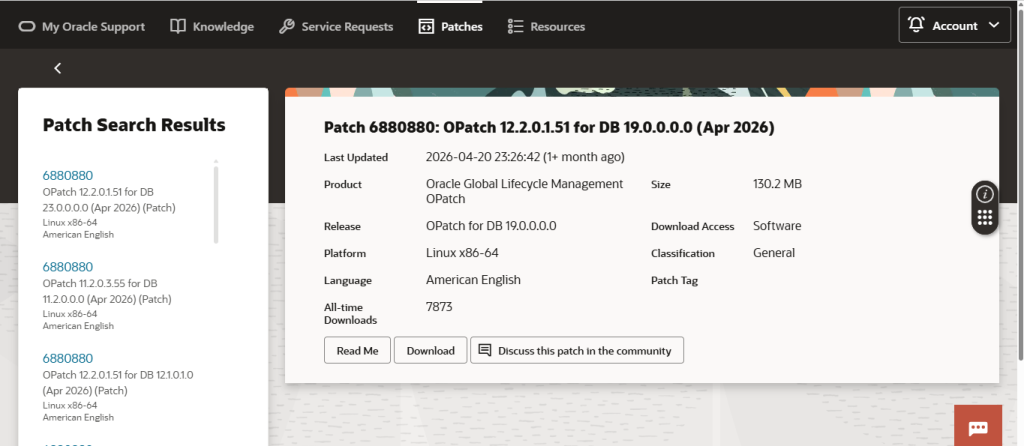
- Download Required Software
- Configure Oracle User Environment
- Unzip Oracle Software
- upgrade OPatch Utility
- Unzip Latest RU Patch
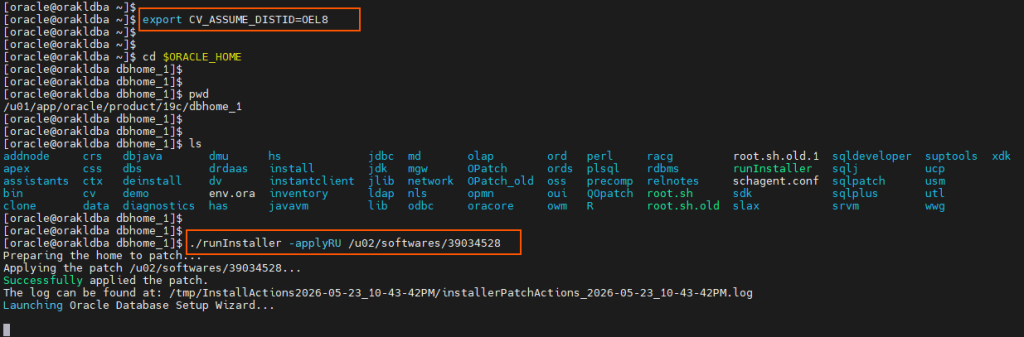
- Set CV_ASSUME_DISTID
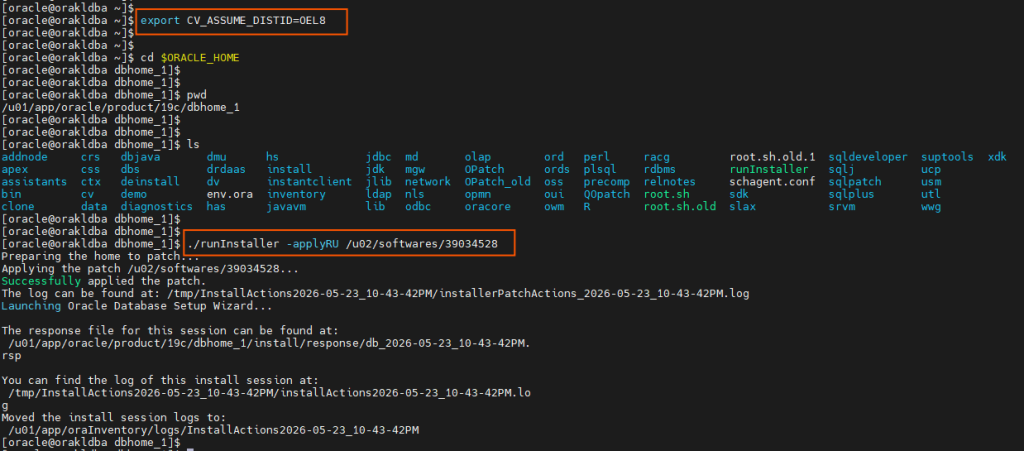
- Install Oracle 19c with ApplyRU
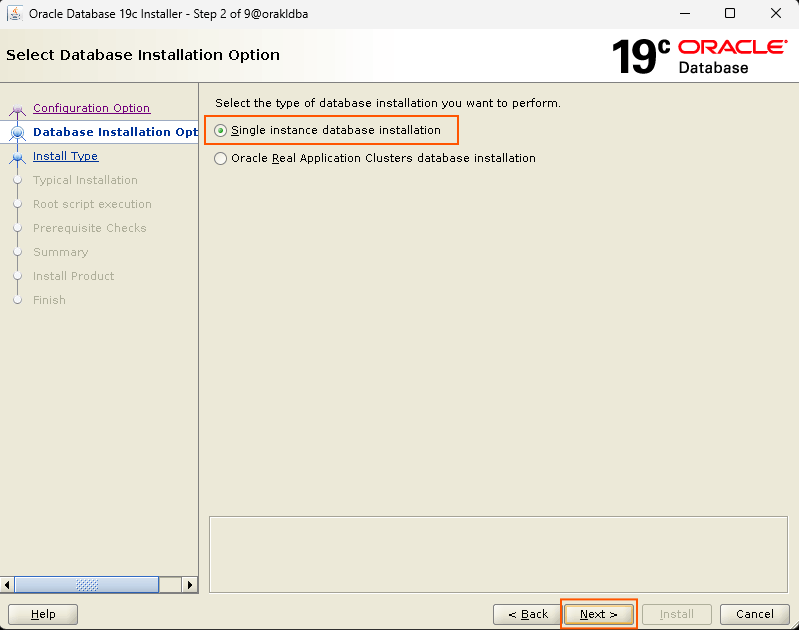
- Database Installation Options
- Install Type
- Database Edition
- Installation Location
- Create Inventory
- Operating System Groups
- Root script execution configuration
- Prerequisite Checks
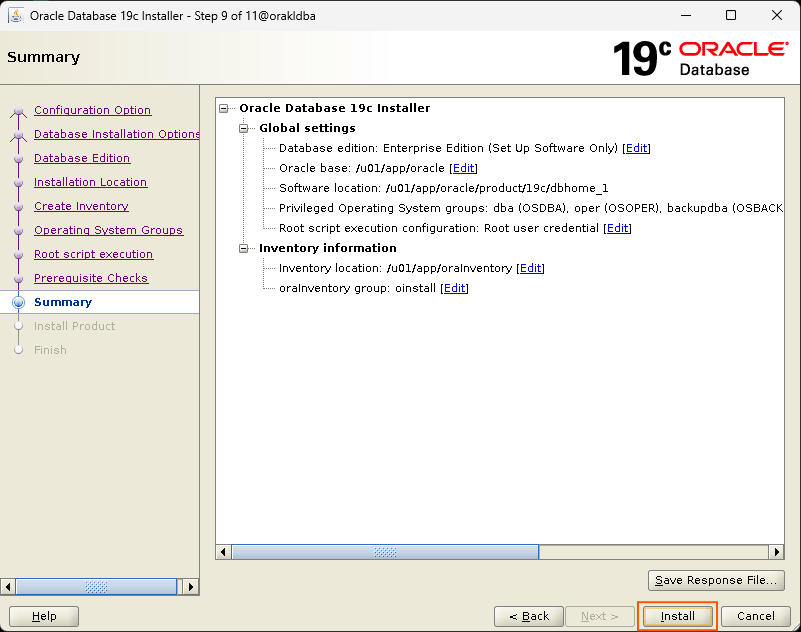
- Summary
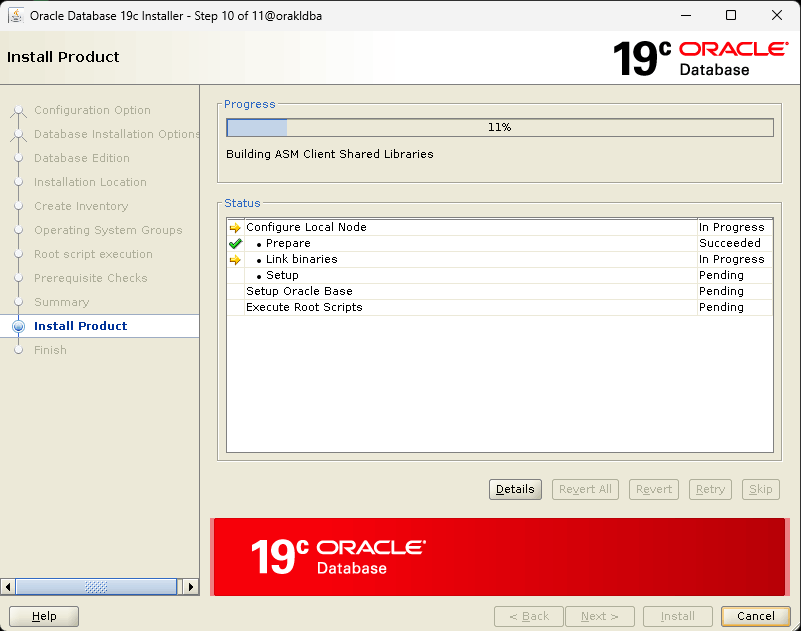
- Install Product
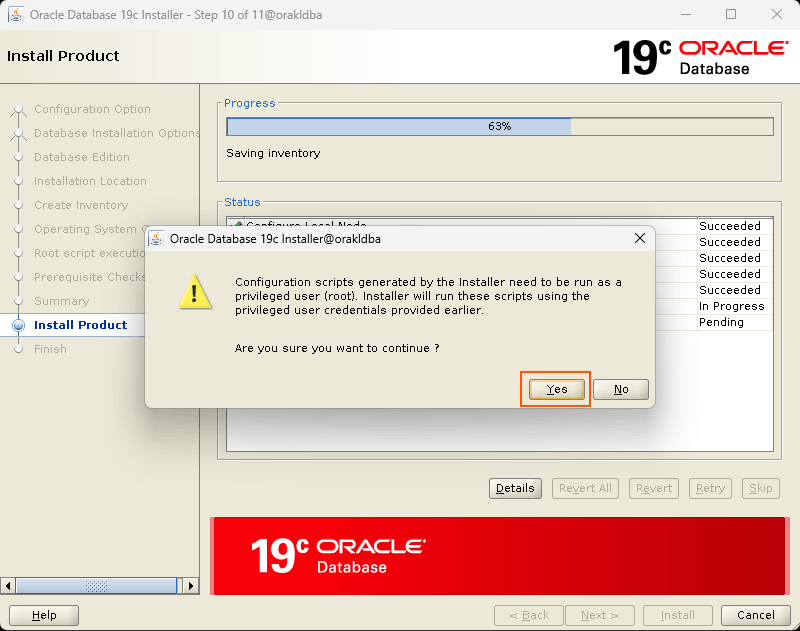
- Root script execute privileged
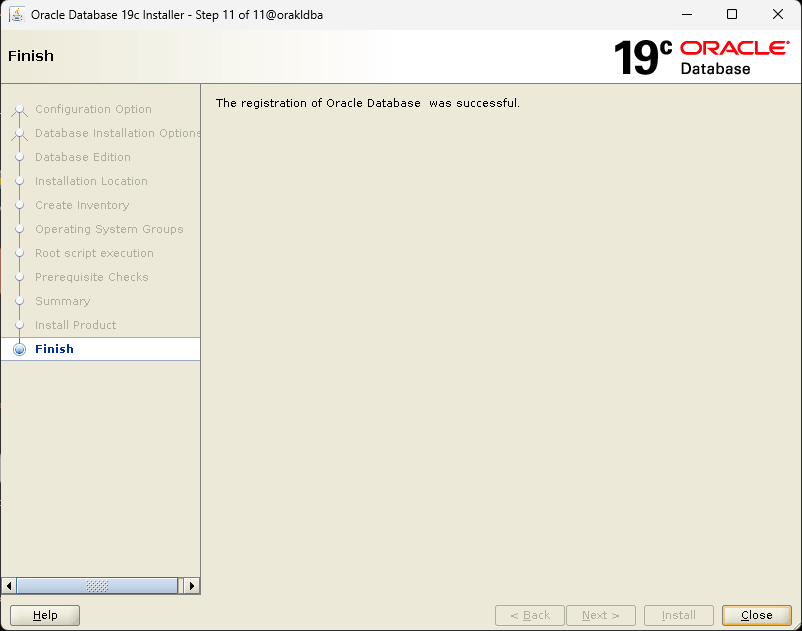
- Finish
- Installation Completion
- Verify Oracle Installation
Environment Details:
| Component | Value |
|---|---|
| OS | Oracle Linux 9.4 |
| Database Version | Oracle 19c |
| Patch Version | Release Update (RU) 19.31 |
| Patch No | 39034528 |
| Oracle Home | /u01/app/oracle/product/19c/dbhome_1 |
| Oracle Base | /u01/app/oracle |
| Installation Type | Software Only |
| Installation Method | ApplyRU |
| User | oracle |
| Group | oinstall, dba |
Set Hostname:
[root@localhost ~]# hostname
localhost
[root@localhost ~]#
[root@localhost ~]#
[root@localhost ~]# hostnamectl set-hostname orakldba
[root@localhost ~]#
[root@localhost ~]#
[root@localhost ~]# hostname
orakldba
[root@localhost ~]#
[root@localhost ~]#
[root@localhost ~]# vi /etc/hosts
[root@localhost ~]#
[root@localhost ~]#
[root@localhost ~]# cat /etc/hosts

192.135.145.22 orakldba orakldba

[root@localhost ~]#
Install Oracle 19c Preinstall Package:
[root@orakldba ~]# yum install oracle-database-preinstall-19c-1.0-1.el9.x86_64 -y
Last metadata expiration check: 1:09:54 ago on Sat 23 May 2026 04:36:30 PM IST.
Dependencies resolved.
=====================================================================================================================================================
 Package                                            Architecture               Version                       Repository                         Size
=====================================================================================================================================================
Installing:
 oracle-database-preinstall-19c                     x86_64                     1.0-1.el9                     ol9_appstream                      33 k

Transaction Summary
=====================================================================================================================================================
Install  1 Package

Total download size: 33 k
Installed size: 78 k
Downloading Packages:
oracle-database-preinstall-19c-1.0-1.el9.x86_64.rpm                                                                   41 kB/s |  33 kB     00:00
-----------------------------------------------------------------------------------------------------------------------------------------------------
Total                                                                                                                 40 kB/s |  33 kB     00:00
Running transaction check
Transaction check succeeded.
Running transaction test
Transaction test succeeded.
Running transaction
  Preparing        :                                                                                                                             1/1
  Running scriptlet: oracle-database-preinstall-19c-1.0-1.el9.x86_64                                                                             1/1
  Installing       : oracle-database-preinstall-19c-1.0-1.el9.x86_64                                                                             1/1
  Running scriptlet: oracle-database-preinstall-19c-1.0-1.el9.x86_64                                                                             1/1
  Verifying        : oracle-database-preinstall-19c-1.0-1.el9.x86_64                                                                             1/1

Installed:
  oracle-database-preinstall-19c-1.0-1.el9.x86_64

Complete!
[root@orakldba ~]#
Create required Oracle Directories and set permissions:
[root@orakldba ~]# mkdir -p /u01/app/oracle/product/19c/dbhome_1
[root@orakldba ~]#
[root@orakldba ~]# mkdir -p /u02/softwares
[root@orakldba ~]#
[root@orakldba ~]# chown -R oracle:oinstall /u01 /u02
[root@orakldba ~]#
[root@orakldba ~]# chmod -R 775 /u01 /u02
Download Required Softwares:
Required files: Oracle 19c Database Software, Latest RU Patch (19.31), Latest OPatch Utility
Configure Oracle User Environment: (.bash_profile)
[oracle@orakldba ~]$ vi .bash_profile
[oracle@orakldba ~]$
[oracle@orakldba ~]$ cat .bash_profile
# .bash_profile

# Get the aliases and functions
if [ -f ~/.bashrc ]; then
    . ~/.bashrc
fi

# User specific environment and startup programs

PATH=$PATH:$HOME/.local/bin:$HOME/bin

export PATH

#Oracle Settings

export TMP=/tmp
export TMPDIR=$TMP
export ORACLE_BASE=/u01/app/oracle
export ORACLE_HOME=$ORACLE_BASE/product/19c/dbhome_1
export ORACLE_SID=CDB1
export ORA_INVENTORY=/u01/app/oraInventory
export PATH=/usr/sbin:$PATH
export PATH=$ORACLE_HOME/bin:$PATH
export LD_LIBRARY_PATH=$ORACLE_HOME/lib:/lib:/usr/lib
export CLASSPATH=$ORACLE_HOME/jlib:$ORACLE_HOME/rdbms/jlib

[oracle@orakldba ~]$
Unzip Oracle Software:
[oracle@orakldba ~]$ cd /u02/softwares
[oracle@orakldba softwares]$
[oracle@orakldba softwares]$
[oracle@orakldba softwares]$ ls -ltrh LINUX.X64_193000_db_home.zip
-rwxrwxr-x. 1 oracle oinstall 2.9G May 23 17:40 LINUX.X64_193000_db_home.zip
[oracle@orakldba softwares]$
[oracle@orakldba softwares]$
[oracle@orakldba softwares]$ unzip LINUX.X64_193000_db_home.zip -d /u01/app/oracle/product/19c/dbhome_1
Upgrade OPatch Utility:
[oracle@orakldba ~]$ cd /u02/softwares
[oracle@orakldba softwares]$
[oracle@orakldba softwares]$
[oracle@orakldba softwares]$ ls -ltrh p6880880_190000_Linux-x86-64.zip
-rwxrwxr-x. 1 oracle oinstall 131M May 23 13:16 p6880880_190000_Linux-x86-64.zip
[oracle@orakldba softwares]$
[oracle@orakldba softwares]$
[oracle@orakldba softwares]$ mv /u01/app/oracle/product/19c/dbhome_1/OPatch /u01/app/oracle/product/19c/dbhome_1/OPatch_old
[oracle@orakldba softwares]$
[oracle@orakldba softwares]$
[oracle@orakldba softwares]$ unzip p6880880_190000_Linux-x86-64.zip -d /u01/app/oracle/product/19c/dbhome_1
Unzip Latest RU Patch:
[oracle@orakldba ~]$ cd /u02/softwares
[oracle@orakldba softwares]$
[oracle@orakldba softwares]$
[oracle@orakldba softwares]$ ls -ltrh p39034528_190000_Linux-x86-64.zip
-rwxrwxr-x. 1 oracle oinstall 2.2G May 23 13:17 p39034528_190000_Linux-x86-64.zip
[oracle@orakldba softwares]$
[oracle@orakldba softwares]$
[oracle@orakldba softwares]$ unzip p39034528_190000_Linux-x86-64.zip
Set CV_ASSUME_DISTID:
Oracle 19c installer (19.3 base release) does not properly recognize Oracle Linux 9, so we “fake” the OS version to pass prerequisite checks.
[oracle@orakldba ~]$
[oracle@orakldba ~]$ export CV_ASSUME_DISTID=OEL8
[oracle@orakldba ~]$
Install Oracle 19c with ApplyRU:
Database Installation Options:
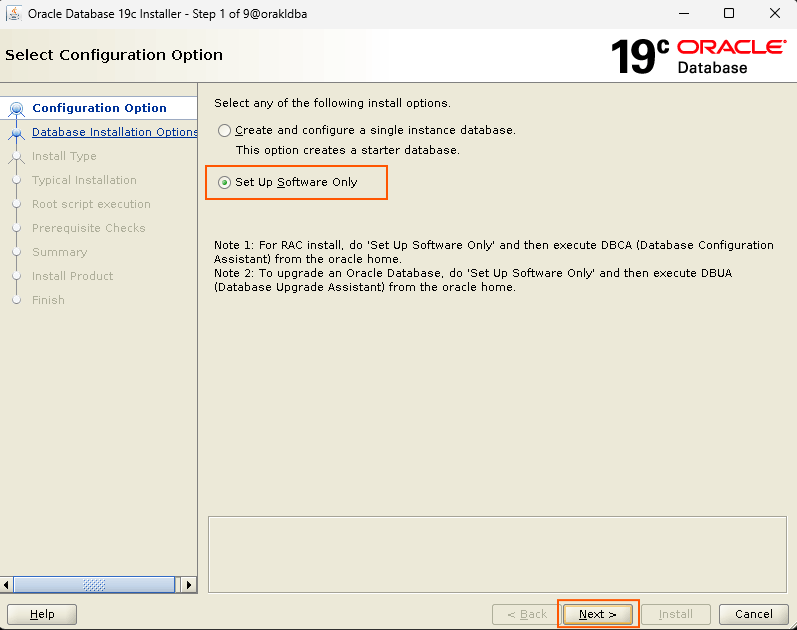
Install Type:
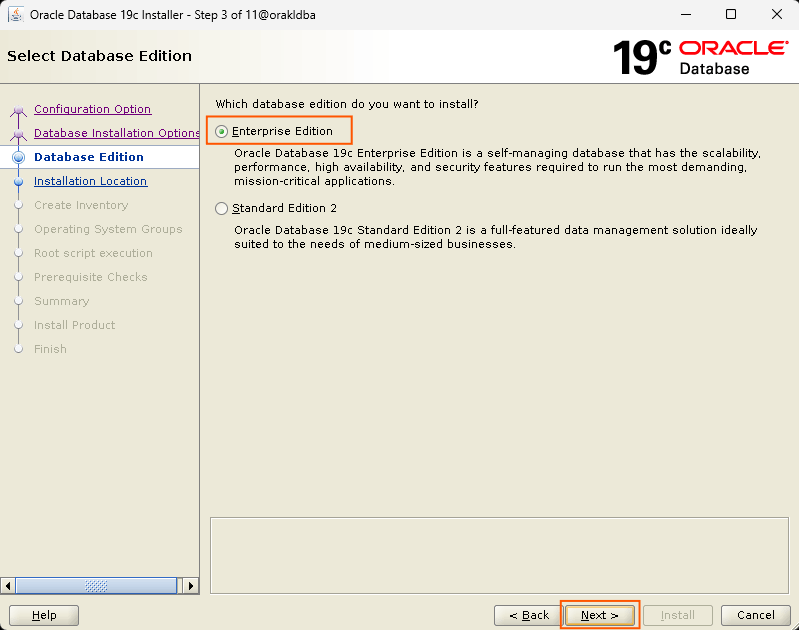
Database Edition:
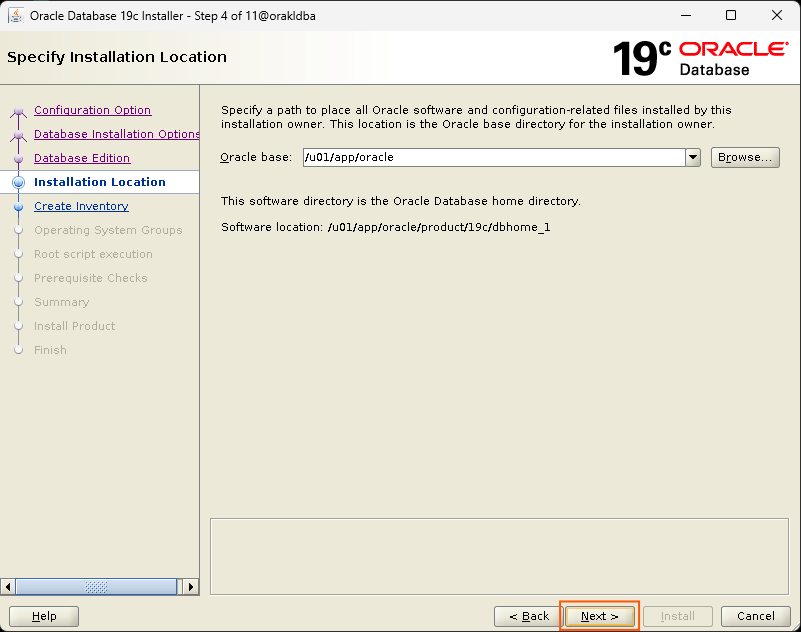
Installation Location:
Create Inventory:
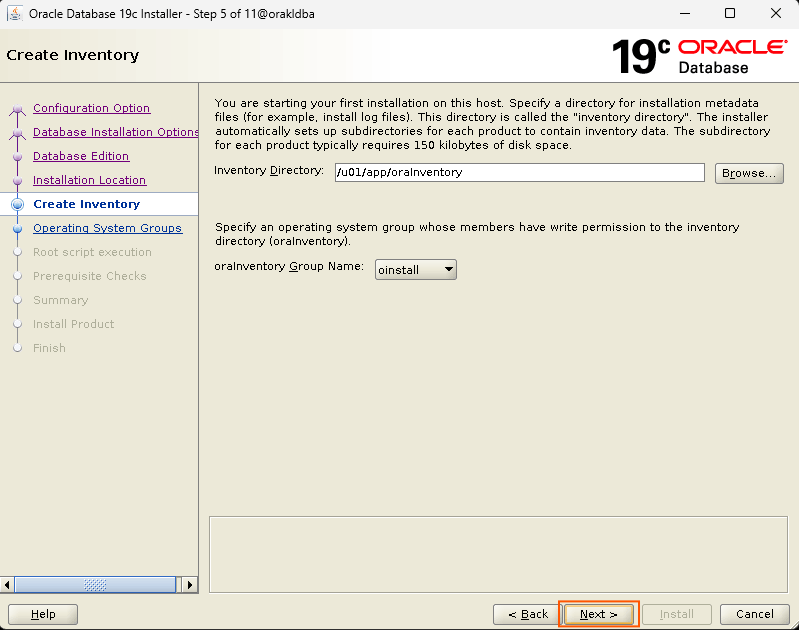
Operating System Groups:
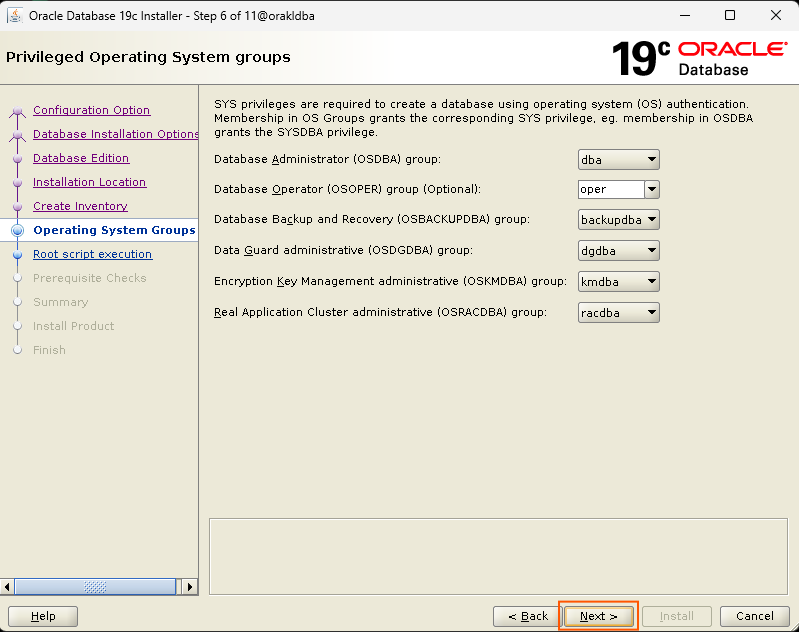
Root script execution configuration:
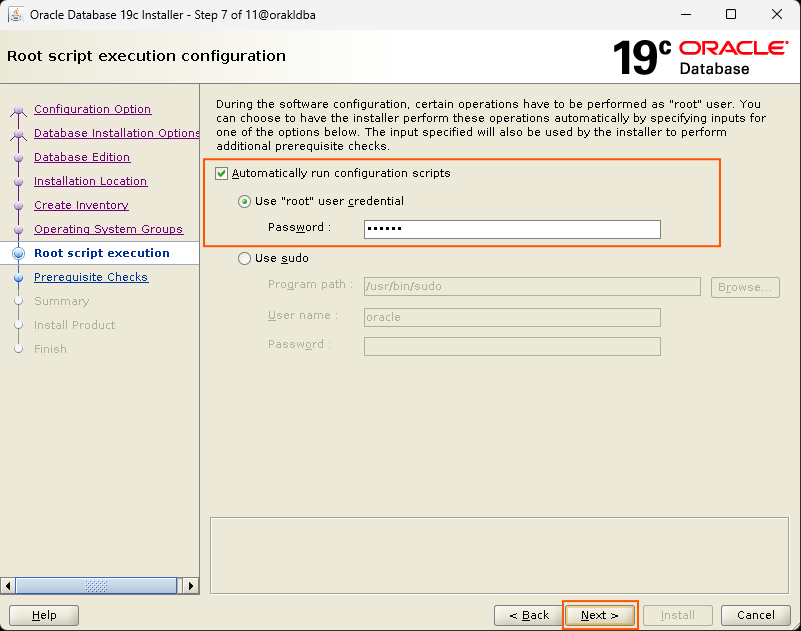
Prerequisite Checks:
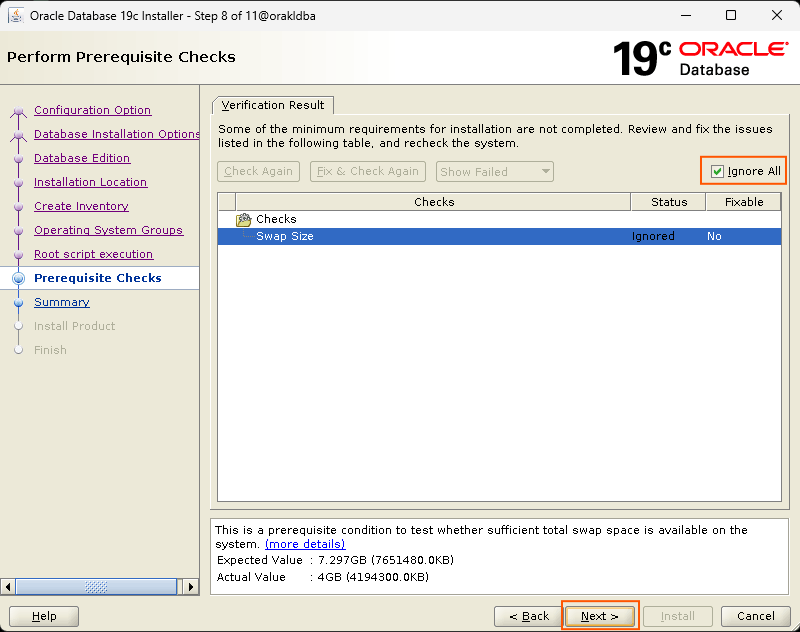
Summary:
Install Product:
Root script execute privileged:
Finish:
Installation Completion:
Verify Oracle Binary Installation:
[oracle@orakldba ~]$
[oracle@orakldba ~]$ sqlplus -v

SQL*Plus: Release 19.0.0.0.0 - Production
Version 19.31.0.0.0

[oracle@orakldba ~]$
[oracle@orakldba ~]$
[oracle@orakldba ~]$ $ORACLE_HOME/OPatch/opatch lspatches
39034528;Database Release Update : 19.31.0.0.260421 (REL-APR2026) (39034528)
29585399;OCW RELEASE UPDATE 19.3.0.0.0 (29585399)

OPatch succeeded.
[oracle@orakldba ~]$
Oracle 19c Binary Installation with Latest RU Patch has been successfully completed…!!!
I hope my written content will helped you. Your suggestions/feedback are most welcome from orakldba.com. Keep learning… Have a great day!!!
Please comment here for your any query related to above content. You can write to mail me through my Email.
Email :- orakldba@gmail.com
LinkedIn :- https://linkedin.com/in/prasantakirtaniya
Twitter :- https://twitter.com/prasantadba
Facebook Page :- https://www.facebook.com/orakldba
Website :- https://orakldba.com
ACE Profile :- https://ace.oracle.com/apex/ace/profile/prasantakirtaniya
Oracle Community :- https://community.oracle.com/customerconnect/profile/discussions/prasantakirtaniya