

Audit Vault Agent 20.11 installation on Linux: In this article we will discuss about Audit Vault Agent installation on Linux Database server. Here we will perform this activity on Oracle AVDF 20.11 version. In this article all IP Addresses blurred for security purpose.
Steps to Install Audit Vault Agent:
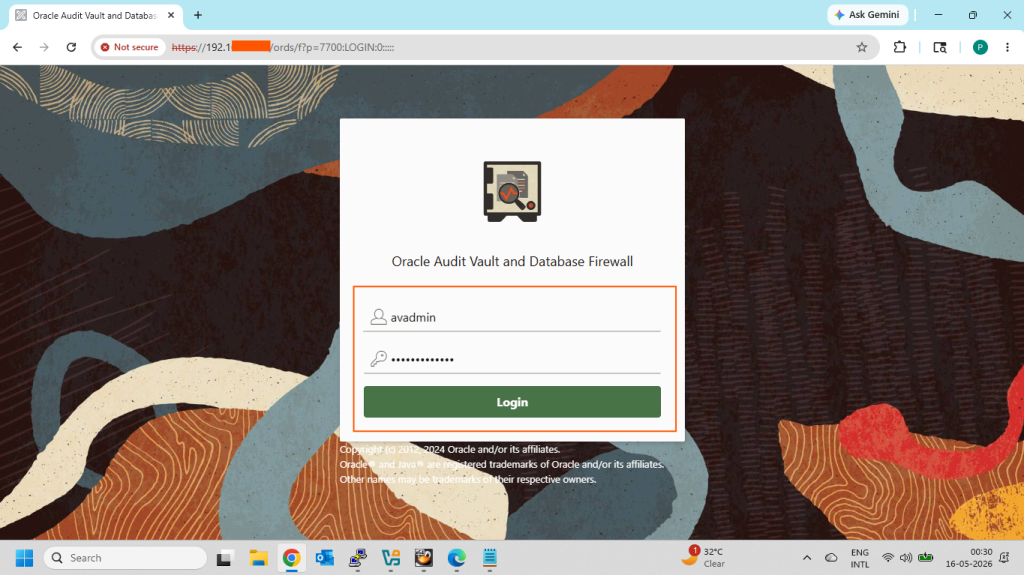
- Login AVDF Console as administrator user
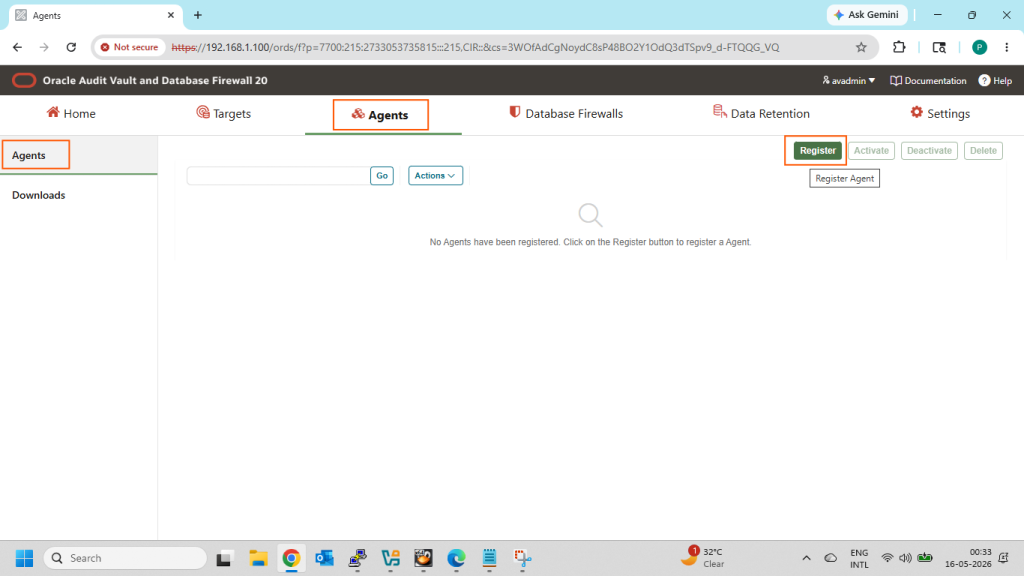
- Go to the Agents tab then Agents tab and click on Register option
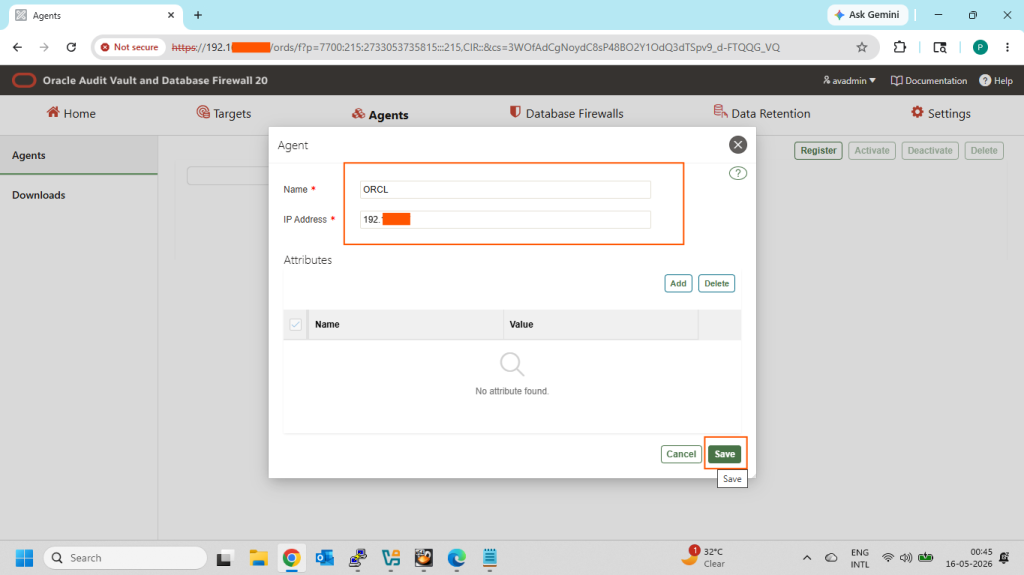
- Enter the database name and database server IP Address and click on Save option
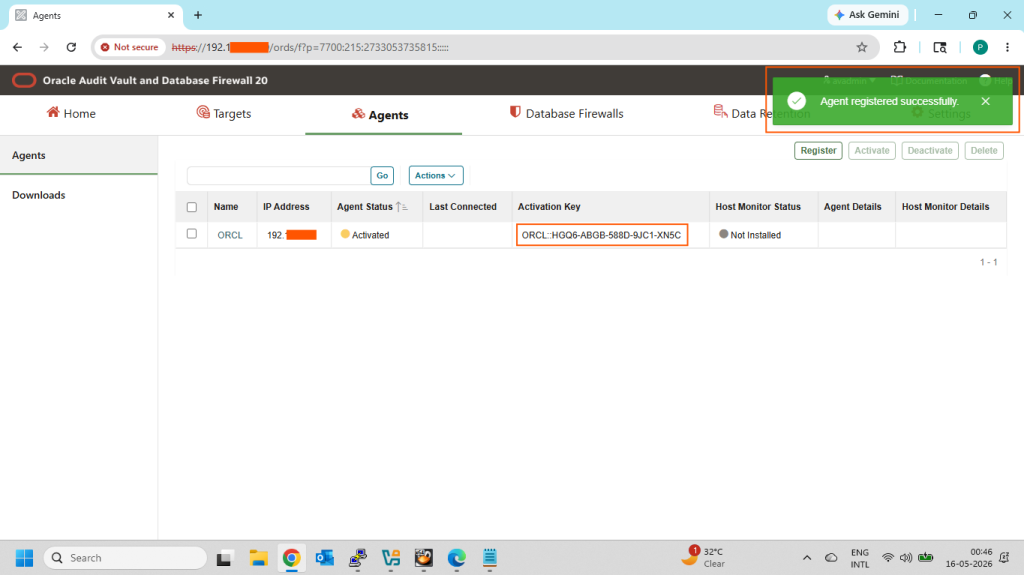
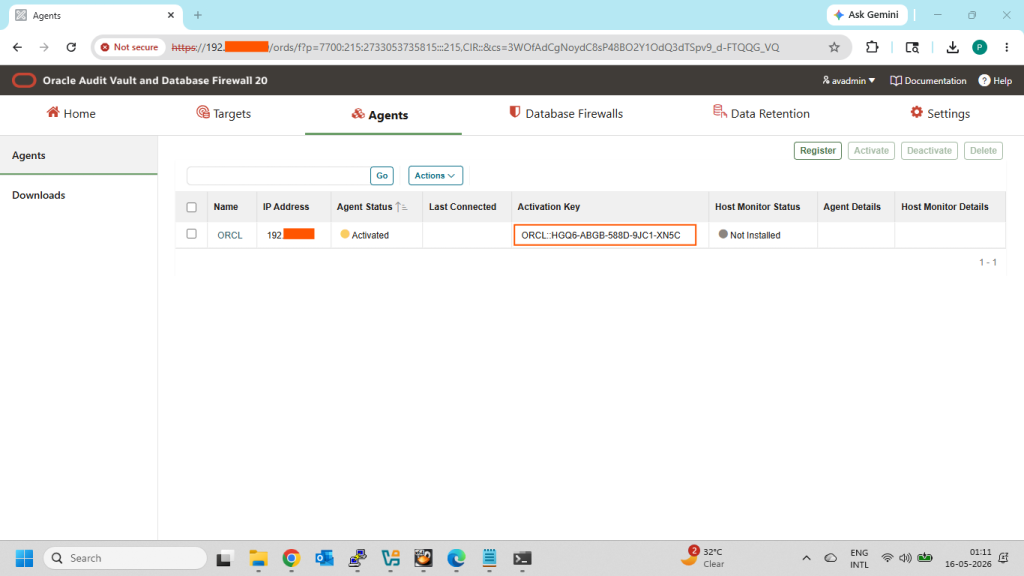
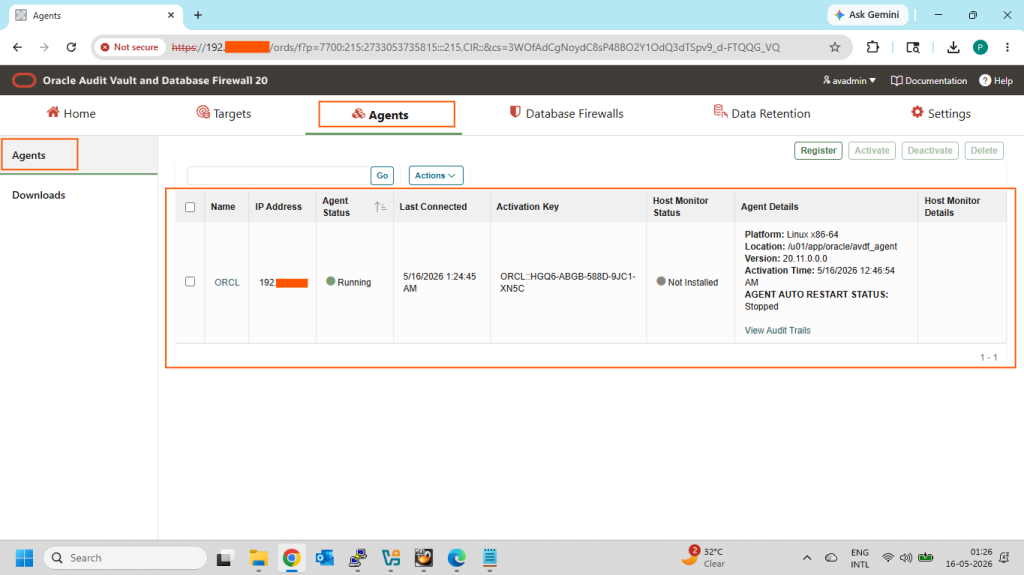
- Check Agent status and note Activation Key details
- Go to the Agents tab then Download tab and download it
- Copy the downloaded agent.jar file to the target Database server
- Check the java version on the Database server
- Install the Audit vault agent
- Database Activation key
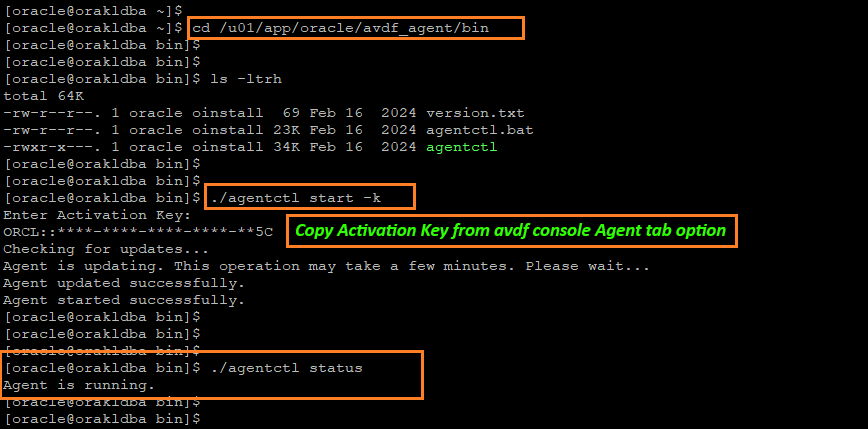
- Start the Agent and check agent running status
- Verify the Agent Registration status on AVDF console
Login AVDF Console as administrator user:
Here in my case administrator username is avadmin.
Go to the Agents tab then Agents tab and click on Register option.
Enter the database name and database server IP Address and click on Save option.
Check Agent status and note Activation Key details:
Go to the Agents tab then Download tab and download it:
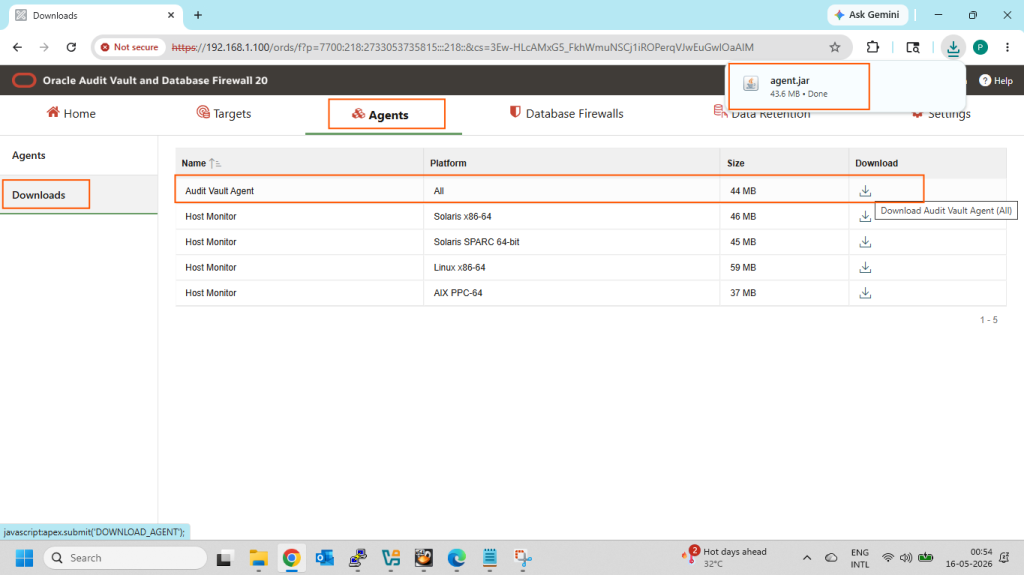
Copy the downloaded agent.jar file to the target Database server:

Check the java version on the Database server:

Install the Audit vault agent:
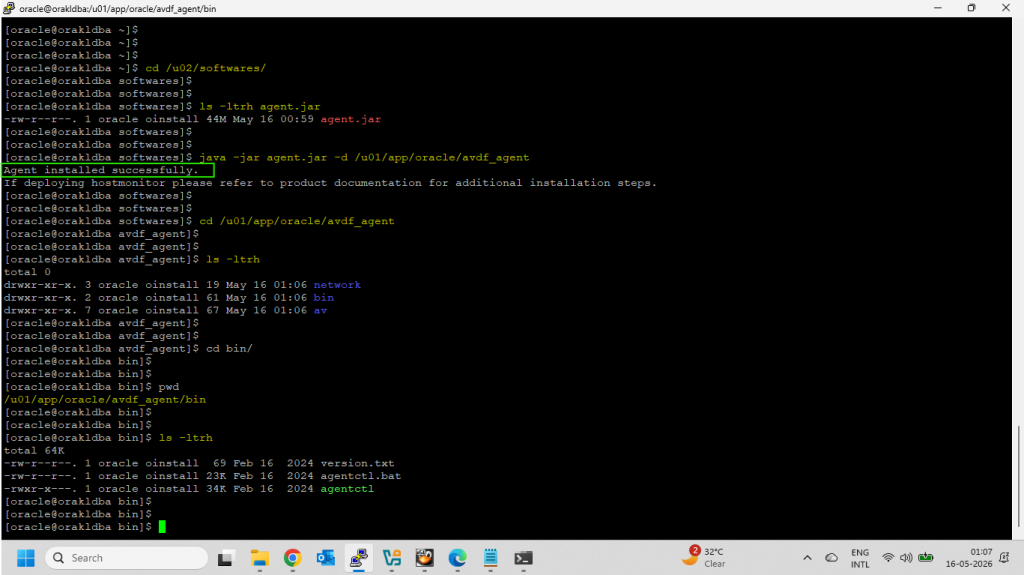
Database Activation key:
Start the Agent and check agent running status:
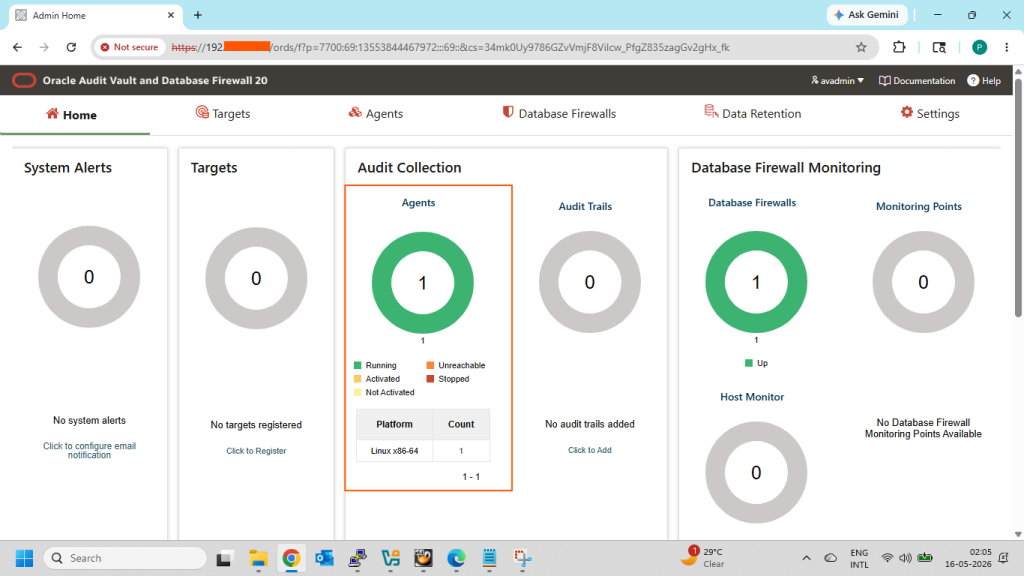
Verify the Agent Registration status on AVDF console:
Audit Vault Agent status on AVDF console Home:
Now Audit Vault Agent installation on Linux has been successfully completed…!!!
Click on below link for another AVDF related details…
- How to install Oracle Audit Vault Server 20.11
- How to install Oracle Database Firewall Server 20.11
- Register Database Firewall with Audit Vault Server (AVDF 20.11)
- How to install Host Monitoring Agent 20.11 on Linux
- How to Register a target database on AVDF 20.11 console
- How to install Oracle Audit Vault Server 20.10
- How to install Oracle Database Firewall Server 20.10
- How to Register Database Firewall with Audit Vault Server 20.10
- How to install Audit Vault Agent 20.10 on Linux
- How to install Host Monitoring Agent 20.10 on Linux
- How to Register a target database on AVDF 20.10 console
I hope my written content will helped you. Your suggestions/feedback are most welcome from orakldba.com. Keep learning… Have a great day!!!
Please comment here for your any query related to above content. You can write to mail me through my Email.Email :- orakldba@gmail.com
LinkedIn :- https://linkedin.com/in/prasantakirtaniya
Twitter :- https://twitter.com/prasantadba
Facebook Page :- https://www.facebook.com/orakldba
Website :- https://orakldba.com
ACE Profile :- https://ace.oracle.com/apex/ace/profile/prasantakirtaniya