
Database Firewall Server 20.11 installation step by step: In this article we will discuss about Database Firewall Server Installation step by step for AVDF 20.11 version.
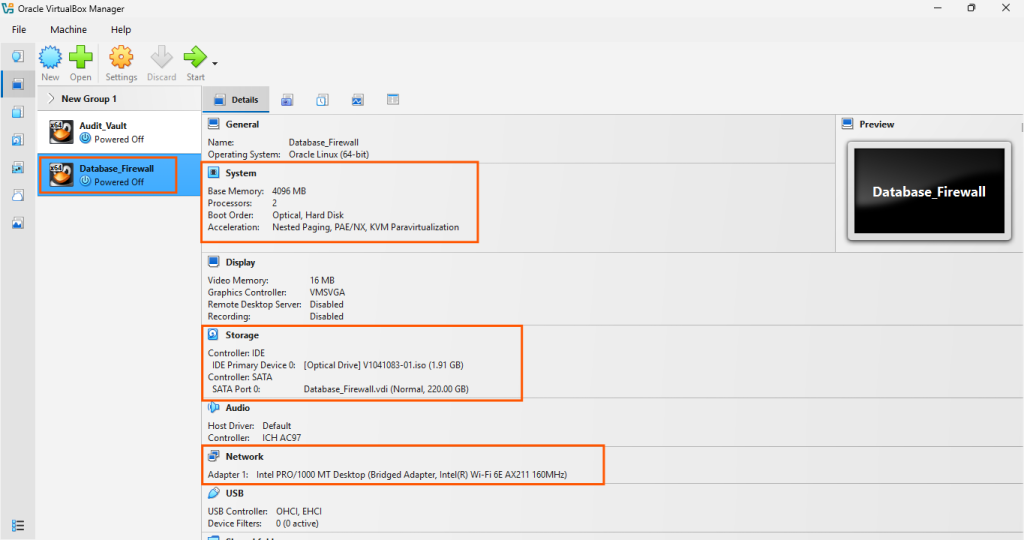
Here we are going to install Database Firewall Server for AVDF 20.11 version on Oracle VM VirtualBox with below details configuration.
Hardware requirement for Database Firewall Server 20.11Configuration :-

AVDF Version		: Oracle Audit Vault and Database Firewall 20.11
Server			: One x-86 64 Bit (2U)
RAM			: Minimum 8 GB
Disk				: Minimum 220 GB
Network Port		: Atleast One *
ISO Image		: V1041083-01.iso
DF Server Installation steps:
- Download the Database Firewall ISO file.
- Configure the VM and attach the DF ISO image.
- Start the DF Server installation.
- Post install configuration steps.
Download the Database Firewall ISO file:
You can download the ISO file for DF installation from https://edelivery.oracle.com

Configure the VM and attach the DF ISO image:
Configure the vm for DF and attach the DF ISO image ( V1041083-01.iso ).
Start the DF Server installation:
Let’s press “ENTER” to start the DF installation.

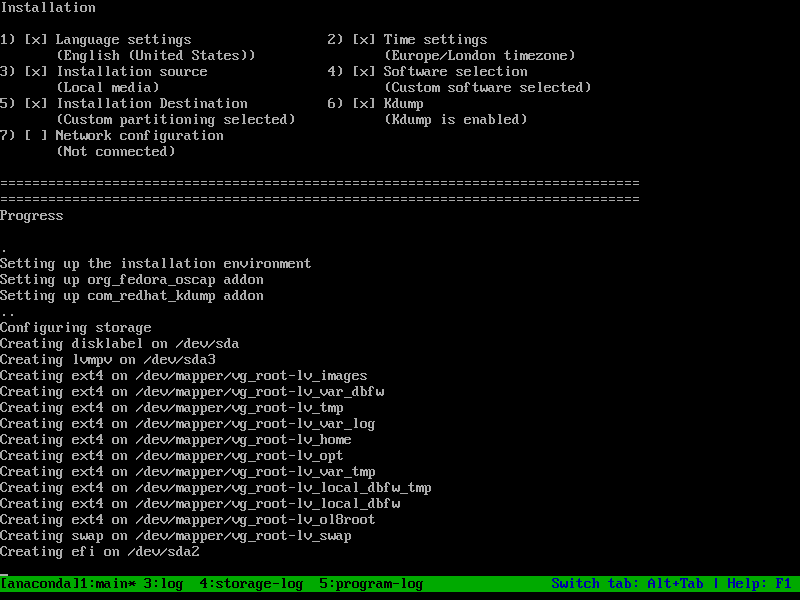
Starting automated installation process and saving Storage configuration:
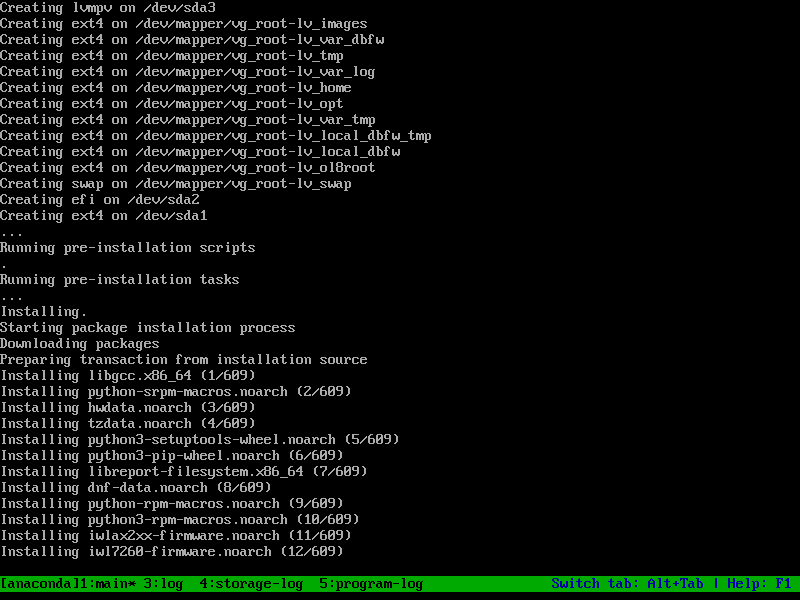
Running pre-installation tasks:
Performing post-installation setup tasks:
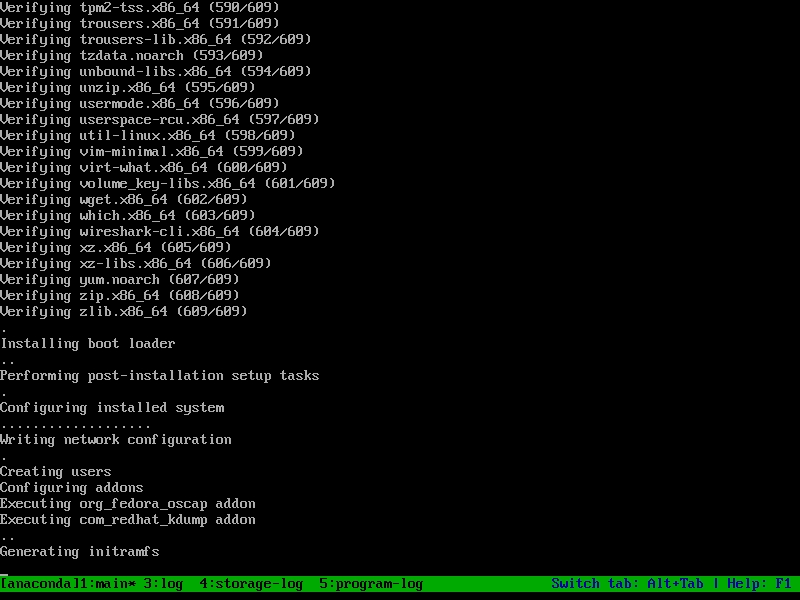
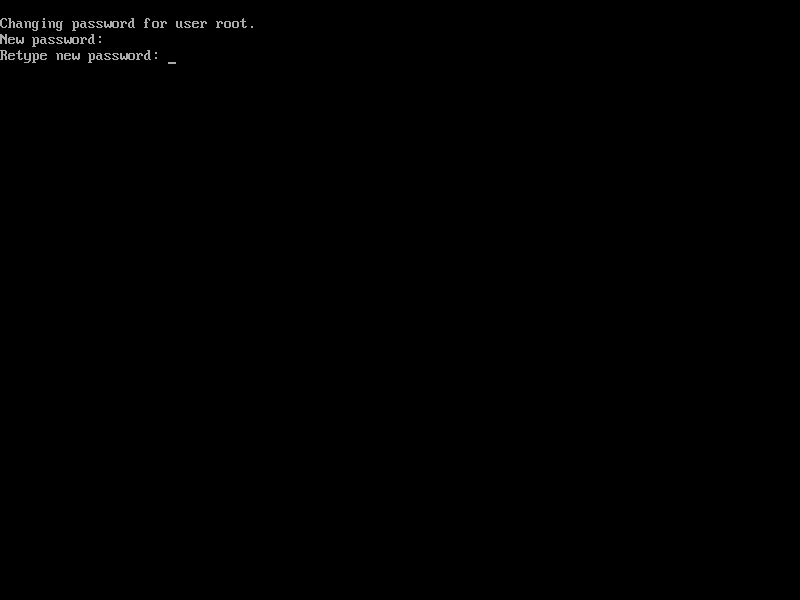
Set password for user root:
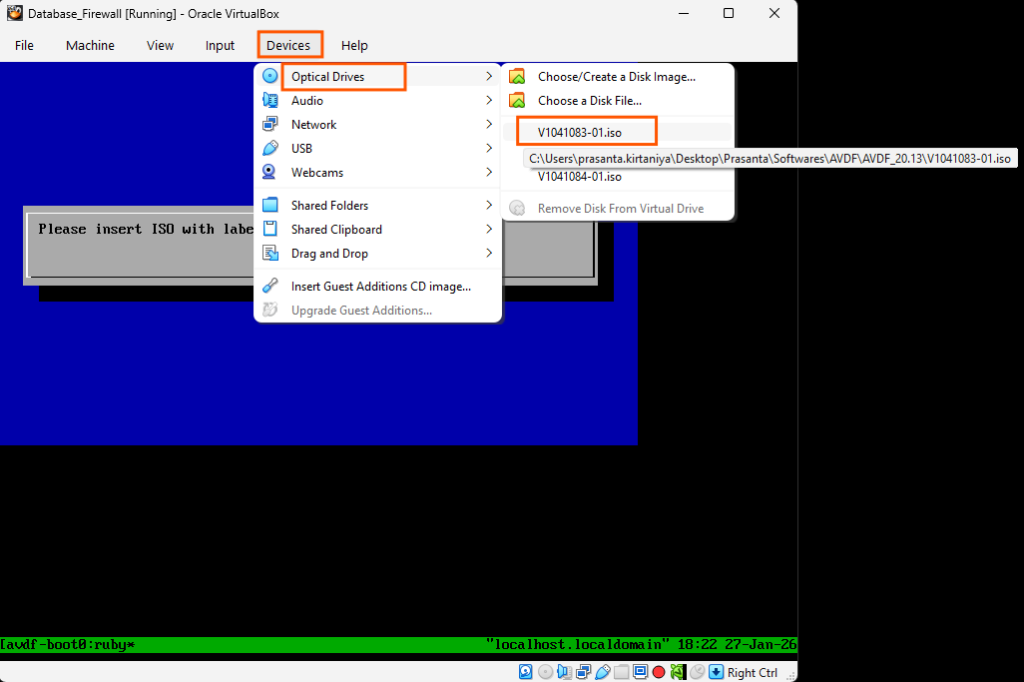
Please re-insert the installation ISO to continue and Log in as root to observe the current installation status:

Installing Oracle Database Firewall Server bootstrap:

Select default network interface:

Network settings:

Set default network devices:

Beginning installation or upgrade of Database Firewall Server dependencies:

Please wait, applying settings:
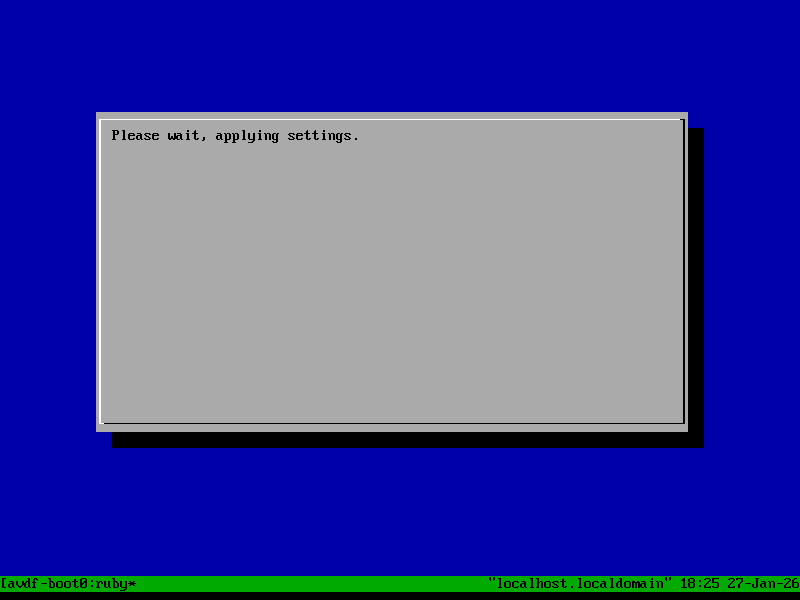
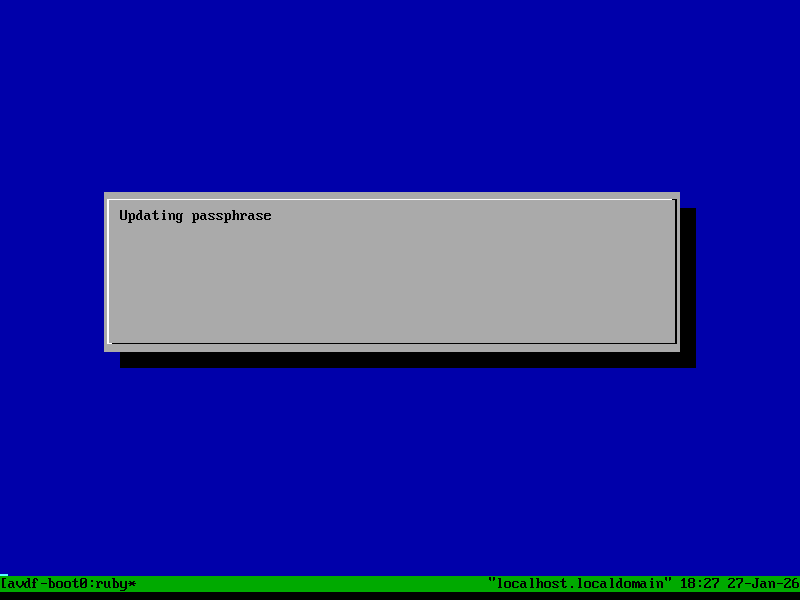
Updating passphrase:
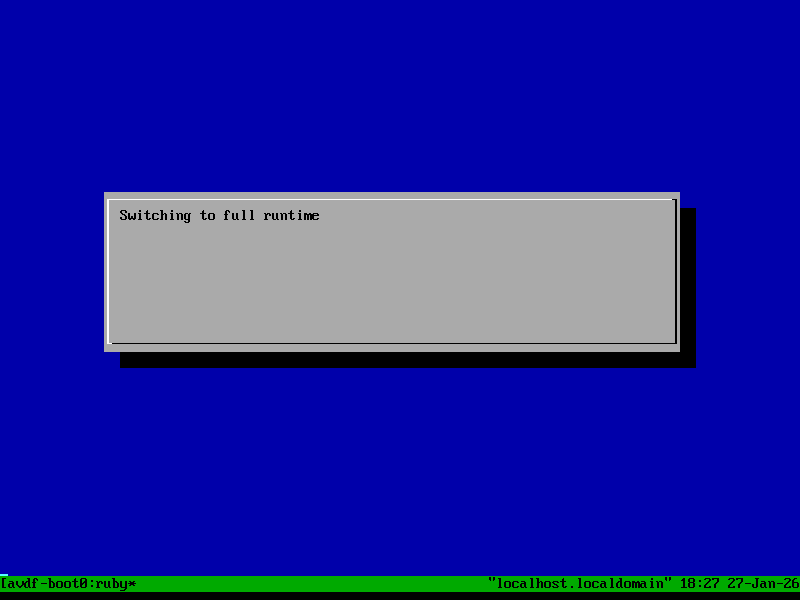
Switching to full runtime:
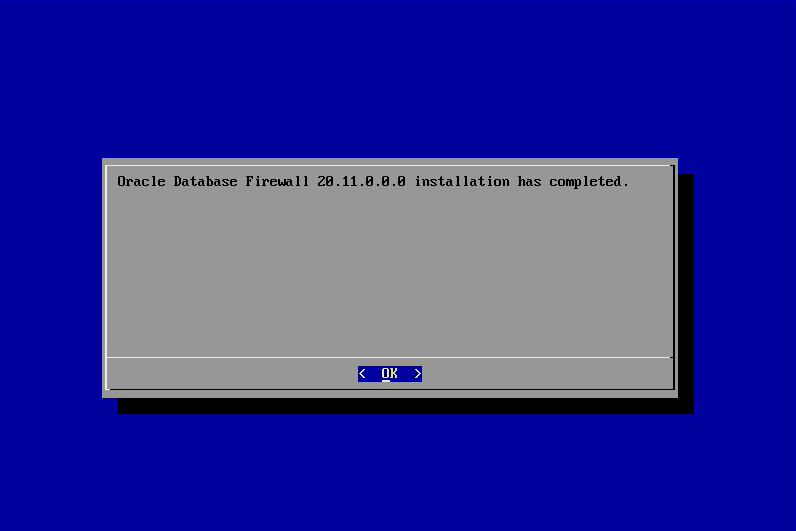
Oracle Database Firewall 20.10 installation has completed:
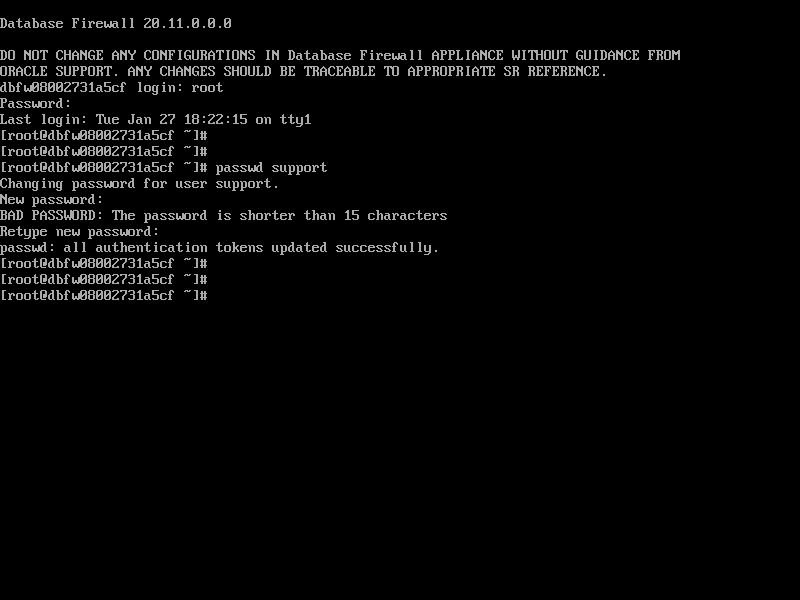
Login the DF server using root user and set password for support user:
Now Database Firewall Server installation for AVDF 20.11 has been installed successfully.
Click on below link for another AVDF related details…
- How to install Oracle Audit Vault Server 20.11
- How to Register Database Firewall with Audit Vault Server 20.11
- How to install Audit Vault Agent 20.11 on Linux
- How to install Host Monitoring Agent 20.11 on Linux
- How to Register a target database on AVDF 20.11 console
- How to install Oracle Audit Vault Server 20.10
- How to install Oracle Database Firewall Server 20.10
- How to Register Database Firewall with Audit Vault Server 20.10
- How to install Audit Vault Agent 20.10 on Linux
- How to install Host Monitoring Agent 20.10 on Linux
- How to Register a target database on AVDF 20.10 console
I hope my written content will helped you. Your suggestions/feedback are most welcome from orakldba.com. Keep learning… Have a great day!!!
Please comment here for your any query related to above content. You can write to mail me through my Email.
Email :- orakldba@gmail.com
LinkedIn :- https://linkedin.com/in/prasantakirtaniya
Twitter :- https://twitter.com/prasantadba
Facebook Page :- https://www.facebook.com/orakldba
Website :- https://orakldba.com
ACE Profile :- https://ace.oracle.com/apex/ace/profile/prasantakirtaniya
2 thoughts on “Database Firewall Server 20.11 installation step by step”